
sBlocchiTi
The cross-platform app with a visual block-based environment for learning to program, control and understand the NAO® V6 robot.
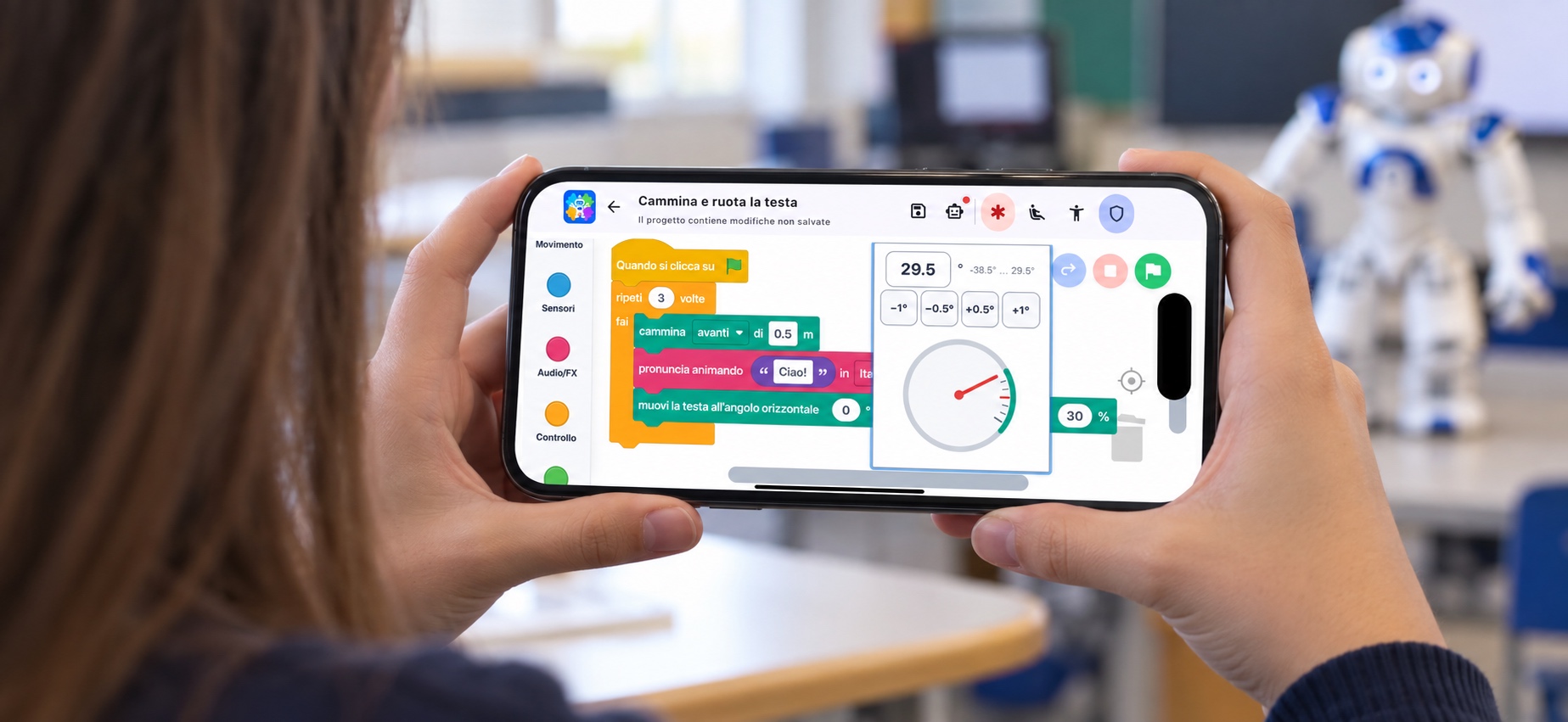
- Visual programming with Blockly, using graphical blocks that can be dragged and connected
- Direct connection to NAO V6 running NAOqi 2.8 over the local network, with no additional components installed on the robot
- Control of movements, postures, speech, volume, LEDs, hands, breathing and behaviours available on the robot
- Use of sensors and events to create programs that can perceive and react to their environment
- Visual debugging with block highlighting and variable monitoring
- Generation of standalone Python code with syntax highlighting
- Automatic discovery of robots on the network and visual identification of the selected NAO robot
- Complete project management with preview, renaming, duplication, import and export
- Available for Android, iPhone, iPad, macOS and Windows, in Italian, English and French


Robotics becomes visual
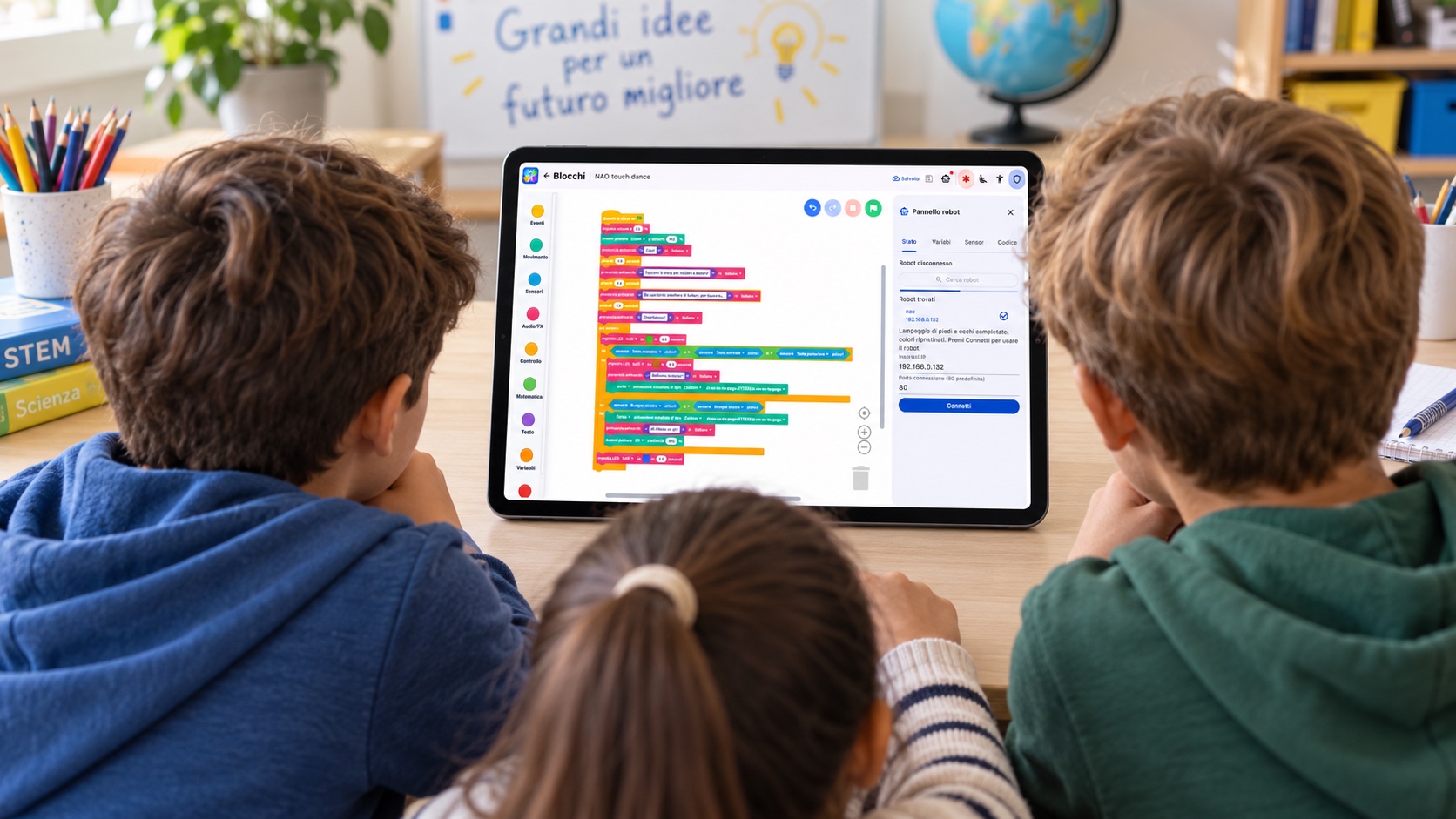
With sBlocchiTi, programming the NAO V6 humanoid robot becomes easier, more immediate and more engaging. Programs are built by dragging and connecting graphical blocks, allowing you to focus on the robot’s logic and behaviour without having to start by writing code.
Movements, conditions, loops, mathematical and logical operators, text, variables and custom functions all coexist in the same workspace. You can begin with a short sequence of actions and gradually progress to complex programs while keeping their structure clear at all times.
This makes sBlocchiTi ideal for educational robotics, STEM labs, training and research.
From blocks to robot behaviour
sBlocchiTi provides dedicated blocks for controlling NAO’s main capabilities. You can make it walk and turn, assume a posture, move its head and arm joints, open or close its hands, adjust the volume, speak phrases and create lighting effects using its LEDs.
You can also enable breathing and Autonomous Life, use animated speech, and run animations and behaviours already installed on the robot. Graphical angle selectors, which can be operated with a mouse, pen or touch input, simplify movement configuration while respecting the robot’s joint limits.
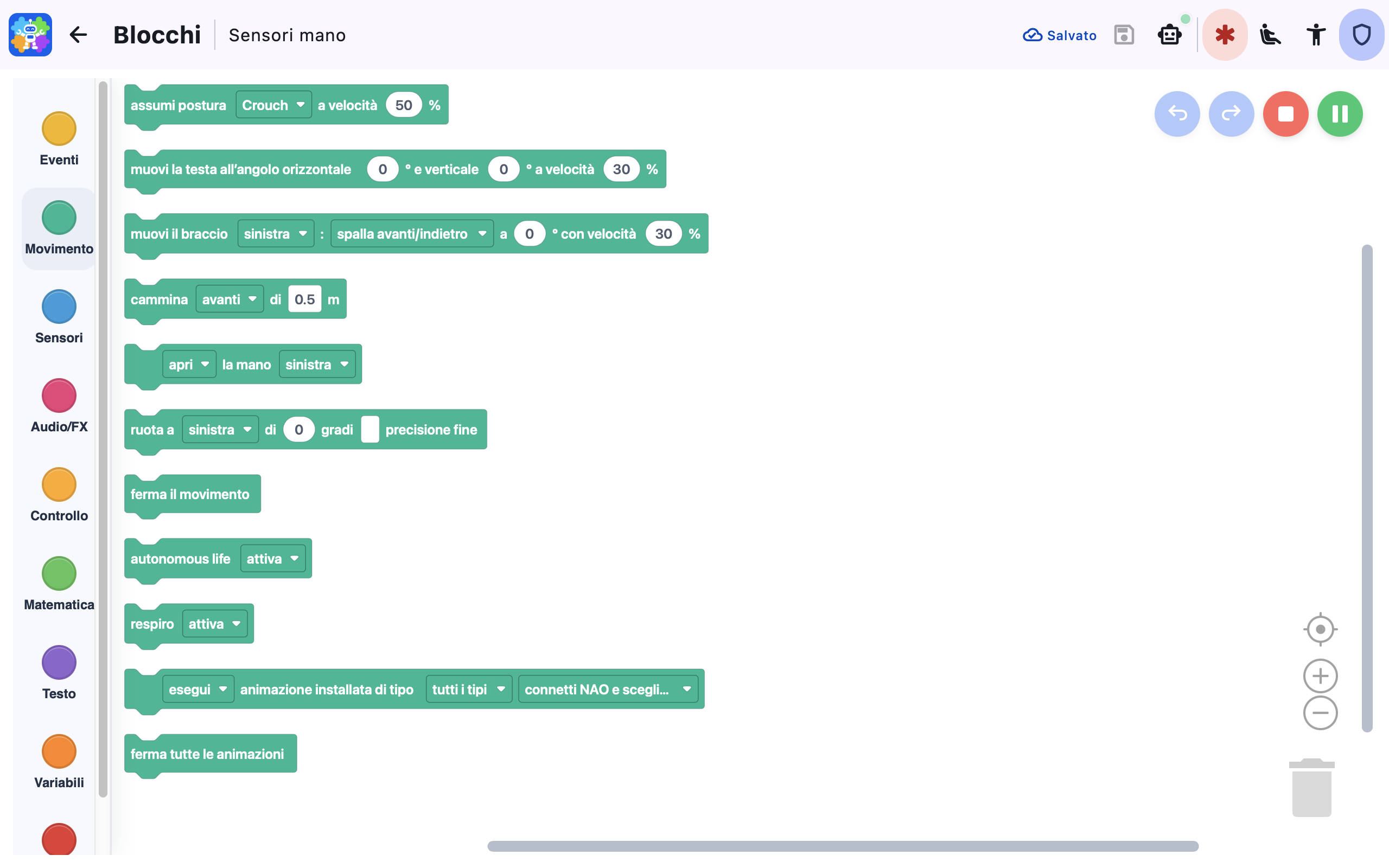
For body rotations, a fine-precision mode is also available. It regulates movement through feedback control, gradually reducing the rotation speed as the robot approaches the target angle.
From blocks to Python, in the same environment
sBlocchiTi generates the standalone Python code corresponding to the program and displays it with syntax highlighting. Visual programming thus becomes a gradual bridge towards understanding program development in a text-based language.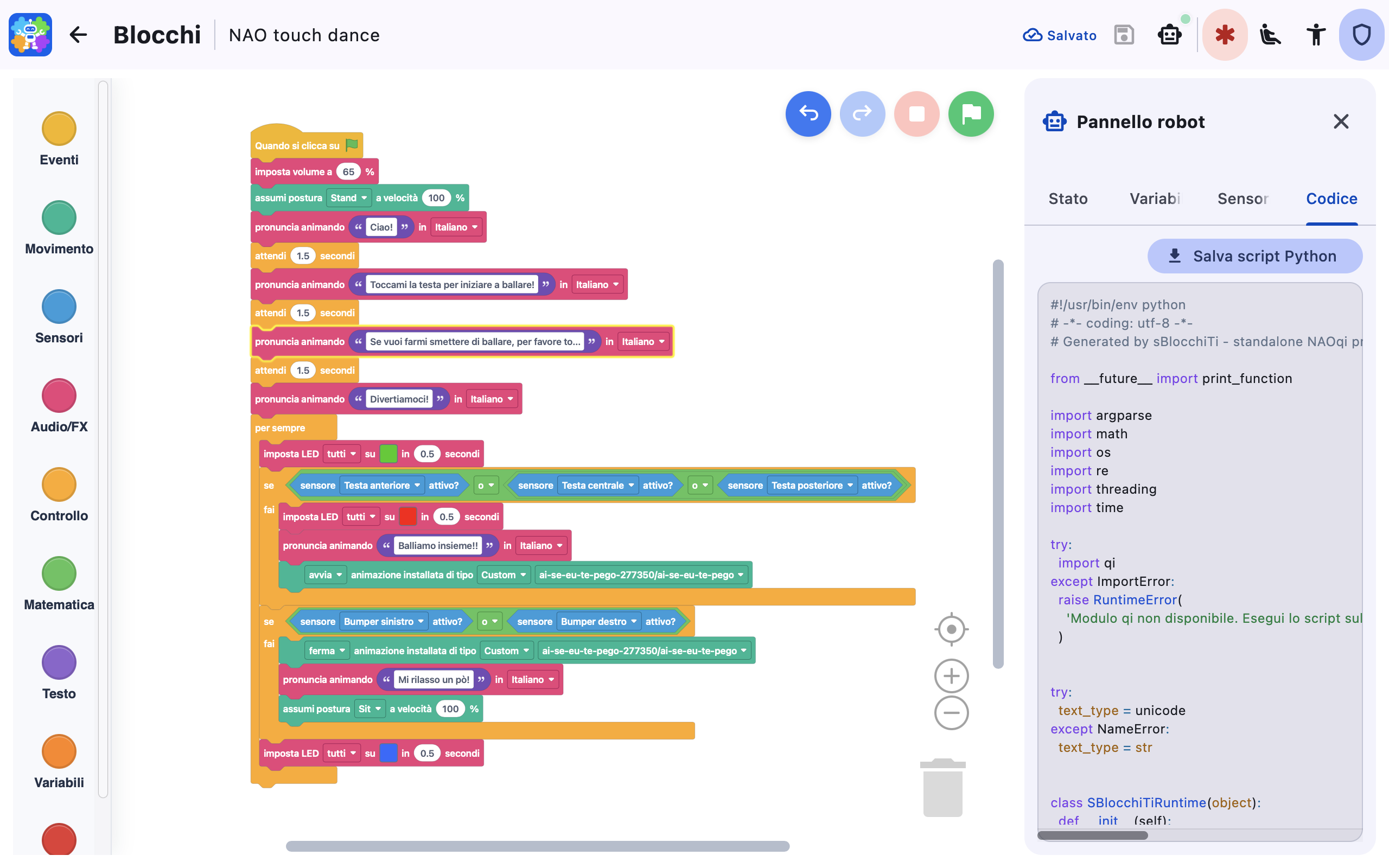
Sensors and events: NAO perceives and reacts
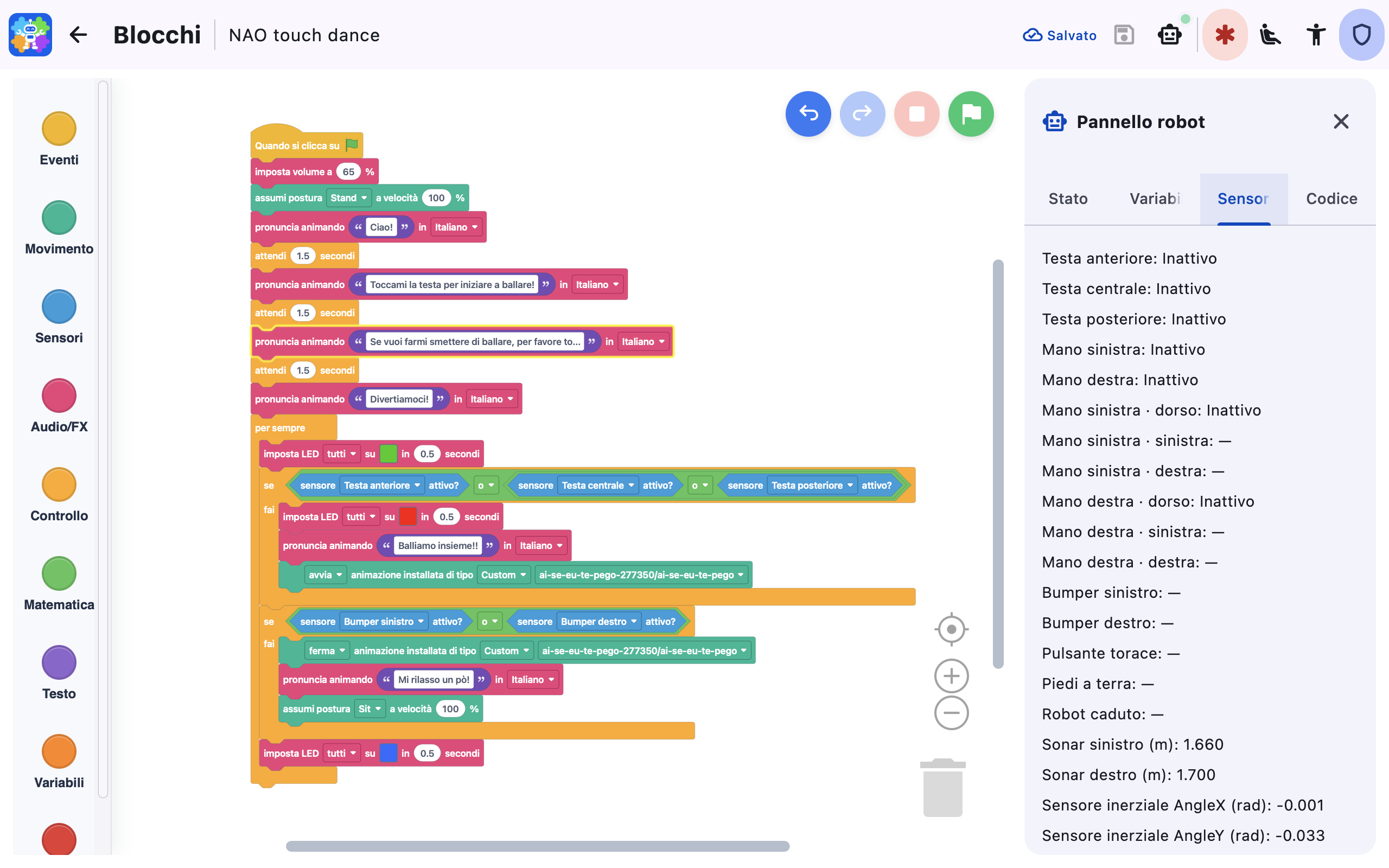
A robot becomes truly interactive when it can perceive its surroundings. With sBlocchiTi, you can incorporate the tactile sensors on the head and hands, foot bumpers, sonar sensors, battery level, foot pressure, inertial data, joint positions and hand opening into the program logic.
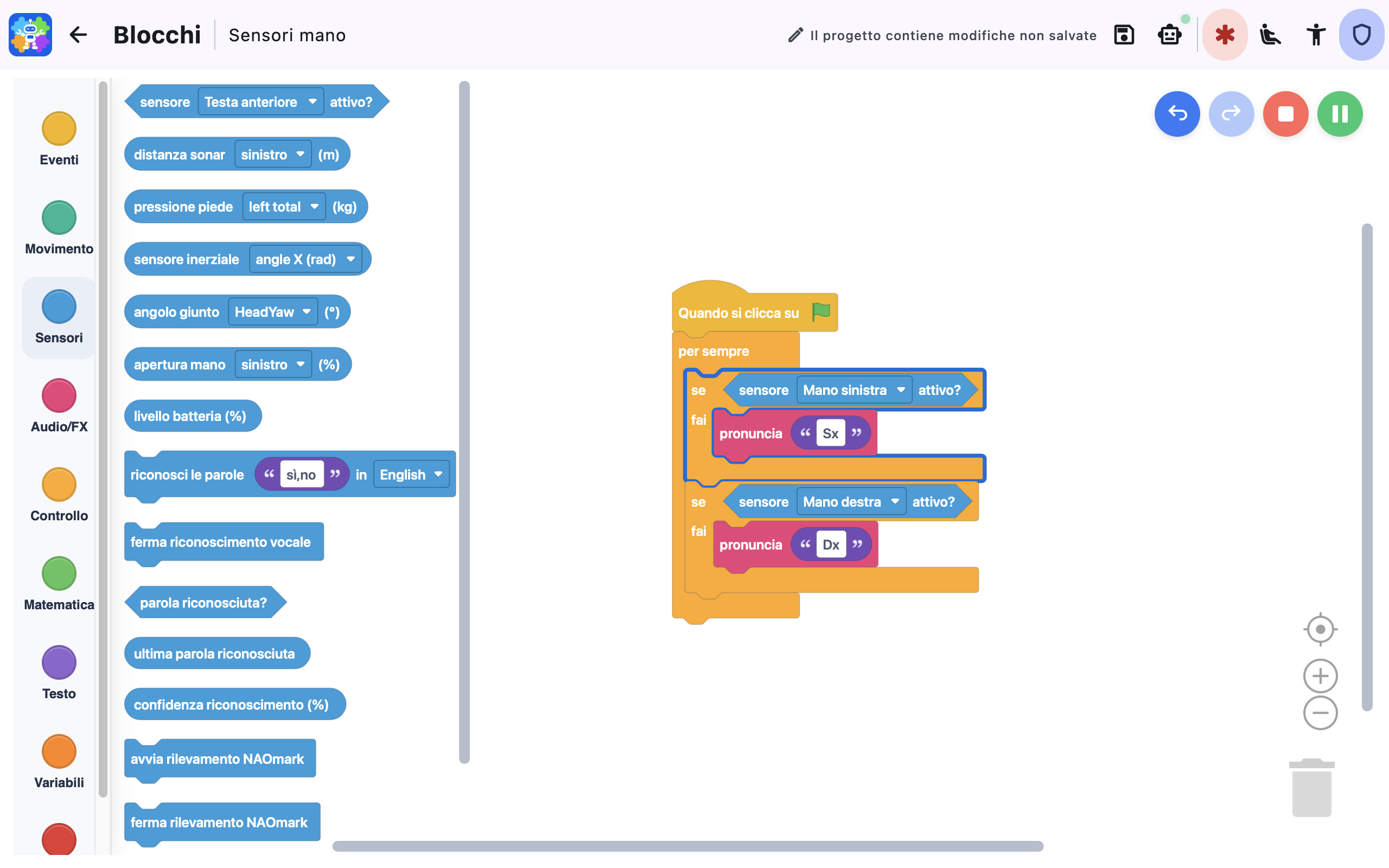
Dedicated blocks also let you use speech recognition and NAOmark detection, creating activities in which the robot listens, recognises events and decides which action to perform.
Event management and optimised sensor-data acquisition make it possible to create more responsive and efficient programs, avoiding continuous polling loops that would slow program execution.
Run, observe and correct
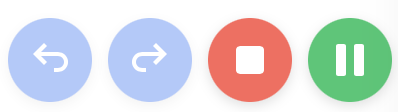
You can start, pause, resume or stop the program.
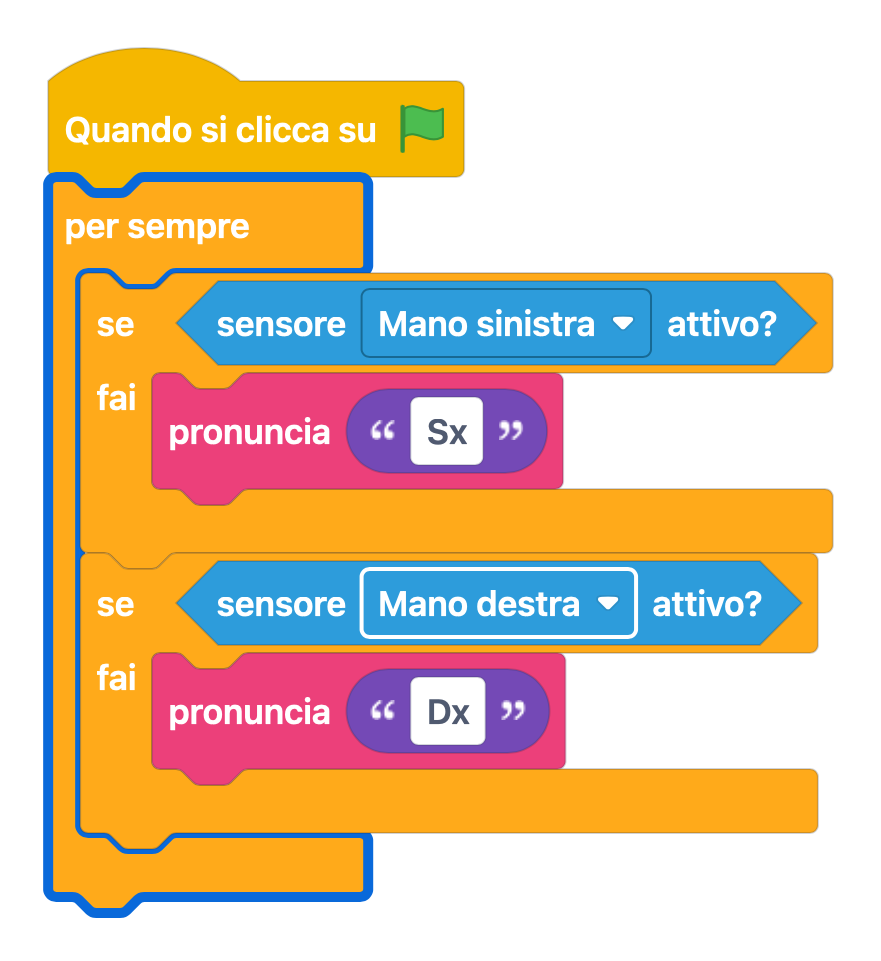
The currently executing block is highlighted directly in the workspace, while the variables help you understand what is happening and quickly identify where changes are needed.
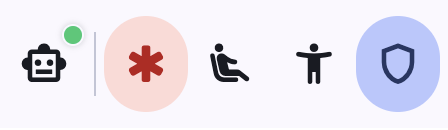
Connecting to the robot is made easier by the automatic detection of every NAO robot on the local network. When multiple robots are present, the identification function briefly flashes the eyes and feet of the selected NAO without initiating any movement.
Your projects, always organised
All projects are listed in a library ordered by most recent modification, with a graphical preview of their blocks. Each project can be saved, renamed, duplicated, deleted, imported and exported.
The .sbtp format allows projects to be transferred between devices while preserving the blocks and the workspace display settings. Exporting block-based programs in SVG and PNG formats also makes it easy to create teaching materials, lessons, reports and presentations.
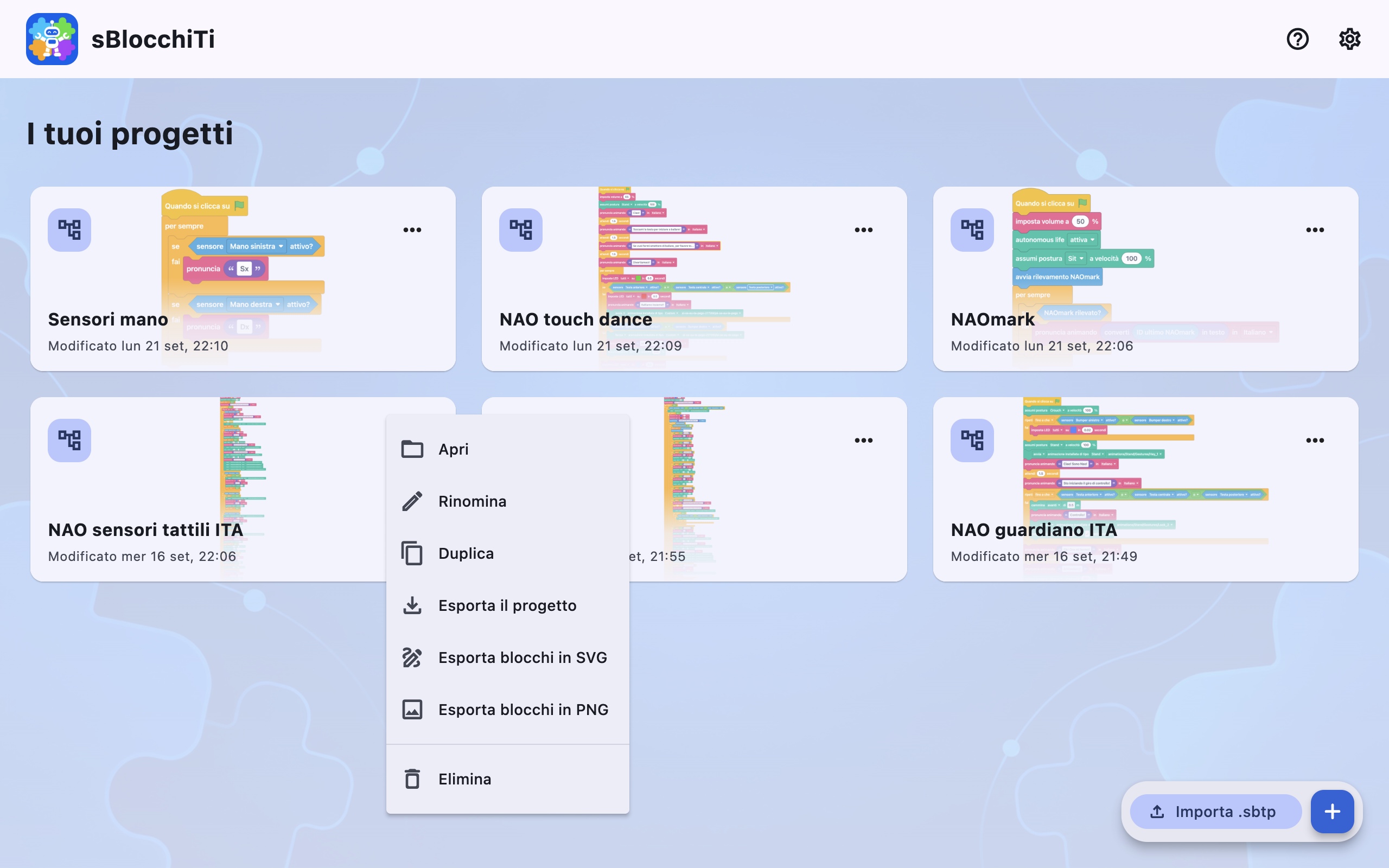
Projects are stored locally in the app’s private storage area, and explicit saving clearly indicates any changes that have not yet been saved.
All components required for the app to operate are already included, so you can create and manage programs without using cloud services or installing additional code on the robot.
One app, on every device
sBlocchiTi’s responsive interface adapts to smartphones, tablets and computers. The app is designed and optimised for Android, iPhone, iPad, macOS and Windows, offers light and dark themes, and is available in Italian, English and French.
The minimum system requirements are Android 7.0, iOS and iPadOS 15, macOS 10.15, and Windows 10 version 1903.
Whether you are preparing a lesson or experimenting with a new behaviour, you will find the same design environment and the same tools on every device, ready to turn an idea into a program for NAO.
Bring your ideas to life with sBlocchiTi
Build your program, connect to NAO and watch your blocks turn into actions.
sBlocchiTi makes robot programming more accessible, understandable and engaging.
sBlocchiTi is an independent application developed by INGNET SRLS, Built with Blockly, and compatible with NAO V6/NAOqi 2.8. NAO®, NAOqi, Aldebaran and the other names mentioned belong to their respective owners. These references are used exclusively to describe compatibility and interoperability; sBlocchiTi is not affiliated with, approved, sponsored or certified by the respective manufacturers. Blockly is an open-source project distributed under the Apache 2.0 licence.